Innovate 48 Hackathon
A winning e-learning peer-support feature to improve engagement within a 48-hour hackathon.
About Project
48hr Hackathon
Timeline
48 hours
Tools
Figma, Slack, Google Meet
Role
Recruitment, Team Lead, Sprint Planning, Information Architecture, UX Design


Innovate48 Hackathon Winners
Gaurang Alat - Hackathon Judge
Cynthia Caxton - Hackathon Judge
Janus Tiu - Hackathon Judge
Framing the problem
Learners need a way to collaborate because feeling isolated prevents progress and long-term engagement.

I had 48 hours to recruit and lead a team of designers to create a new collaborative feature for an e-learning platform struggling with low engagement. The goal was to craft a networking tool. The real problem behind low engagement was a breakdown in the learner journey at the moment they needed help. If I could solve this problem for the learner, I would also solve the business problem of low engagement.
Constraints
Eight designers with mixed experience levels

With such a short space of time to complete the design, my goal as team lead was to optimise individual strengths. I asked each person to introduce themselves and their strongest skill during an ice breaker meeting and then plotted my findings in a star graph to visualise team dynamics and delegate tasks accordingly. As an X-shape designer, I was well placed to oversee strategy and information architecture.
Sprint planning
Deliverables that directly aligned with judging criteria
I documented a list of deliverables that directly aligned with judging criteria to secure the best chance of winning. I opened a slack channel for team comms and shared all documentation to maintain momentum and alignment.
Advance planning to facilitate 3 time zones
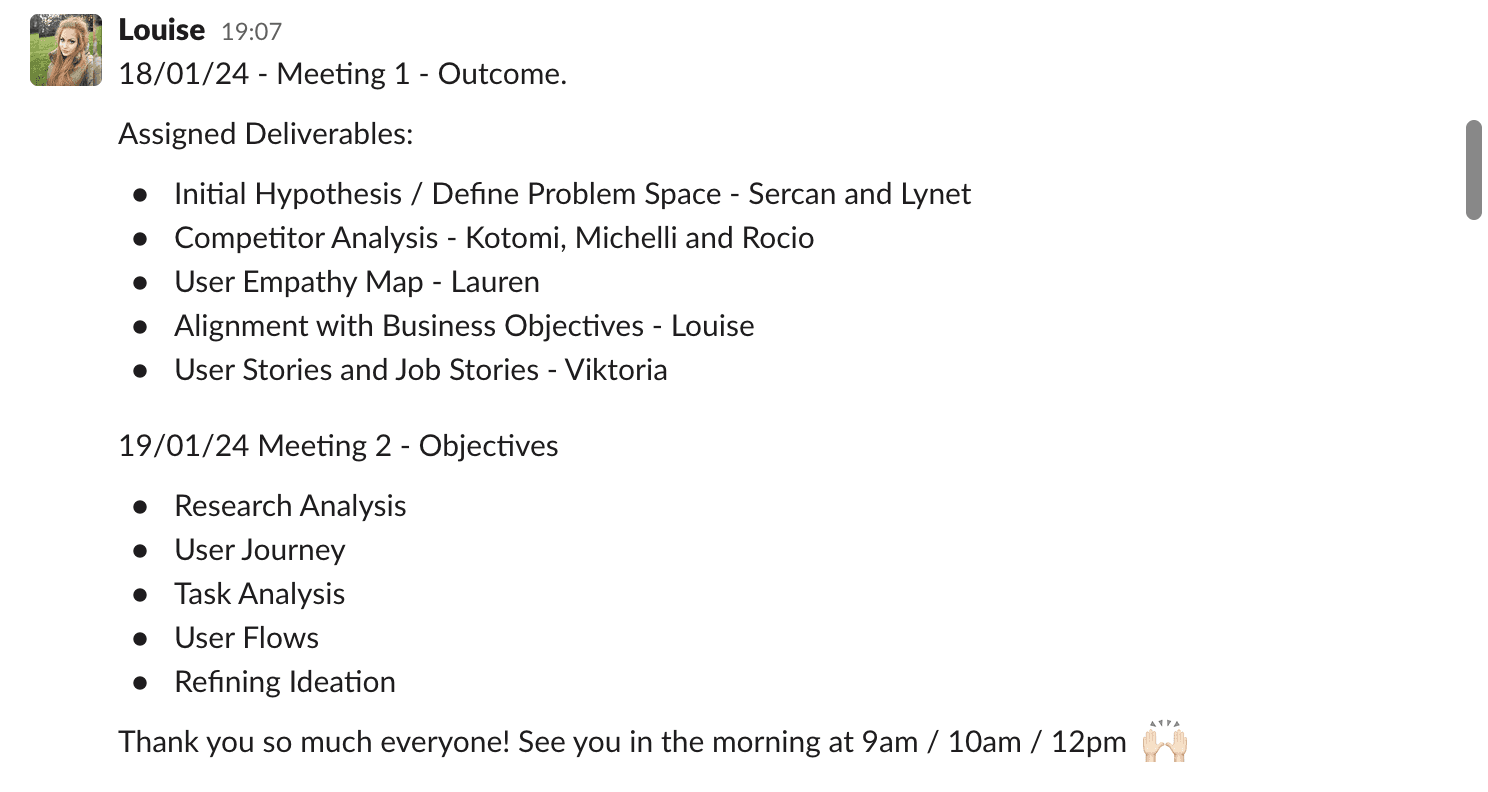
I planned meetings and communication in advance to support collaboration across three time zones, maintain alignment and prevent drift. I delegated tasks with clear ownership and paired inexperienced designers with strong members of the team for support. My role was not controlling output, it was maintaining design coherence as ideas evolved.
Research sythensis
Defining direction
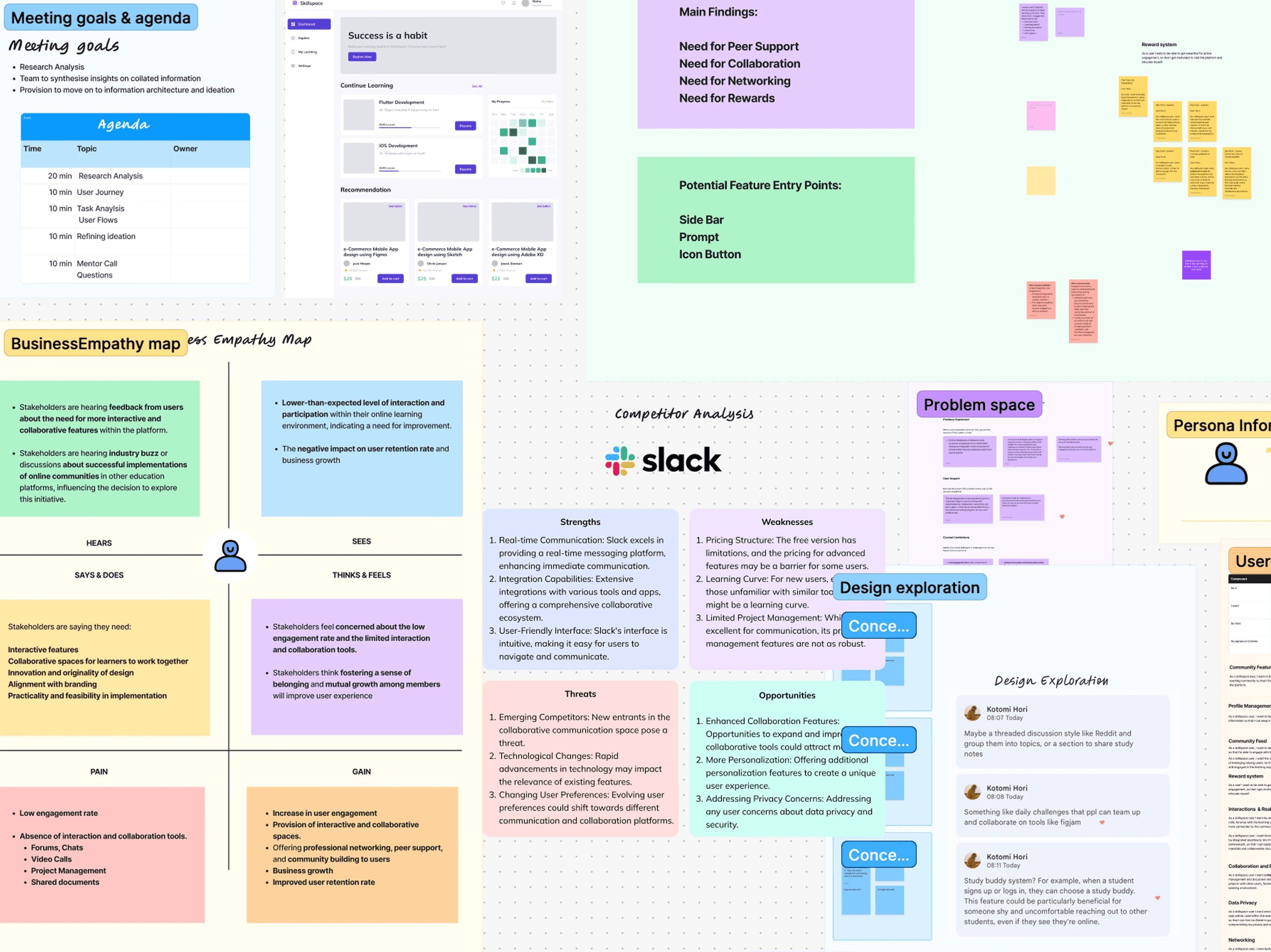
To give context to the teams initial ideas I delegated tasks such as competitor analysis, user stories and journey mapping to bring alignment and focus to the problem we were solving. I scheduled a FigJam synthesis session to define the project goals and open discussion around entry points and architecture
Networking
Collaboration tool
Engagement
Establishing the user flow
Universal design patterns
I suggested that the design should lean on universal patterns such as slack since it was a tested, successful design that users would recognise which also faciliated collaboration. I posted requirements and a task description for the team to follow and we broke apart for focused time on ideation.
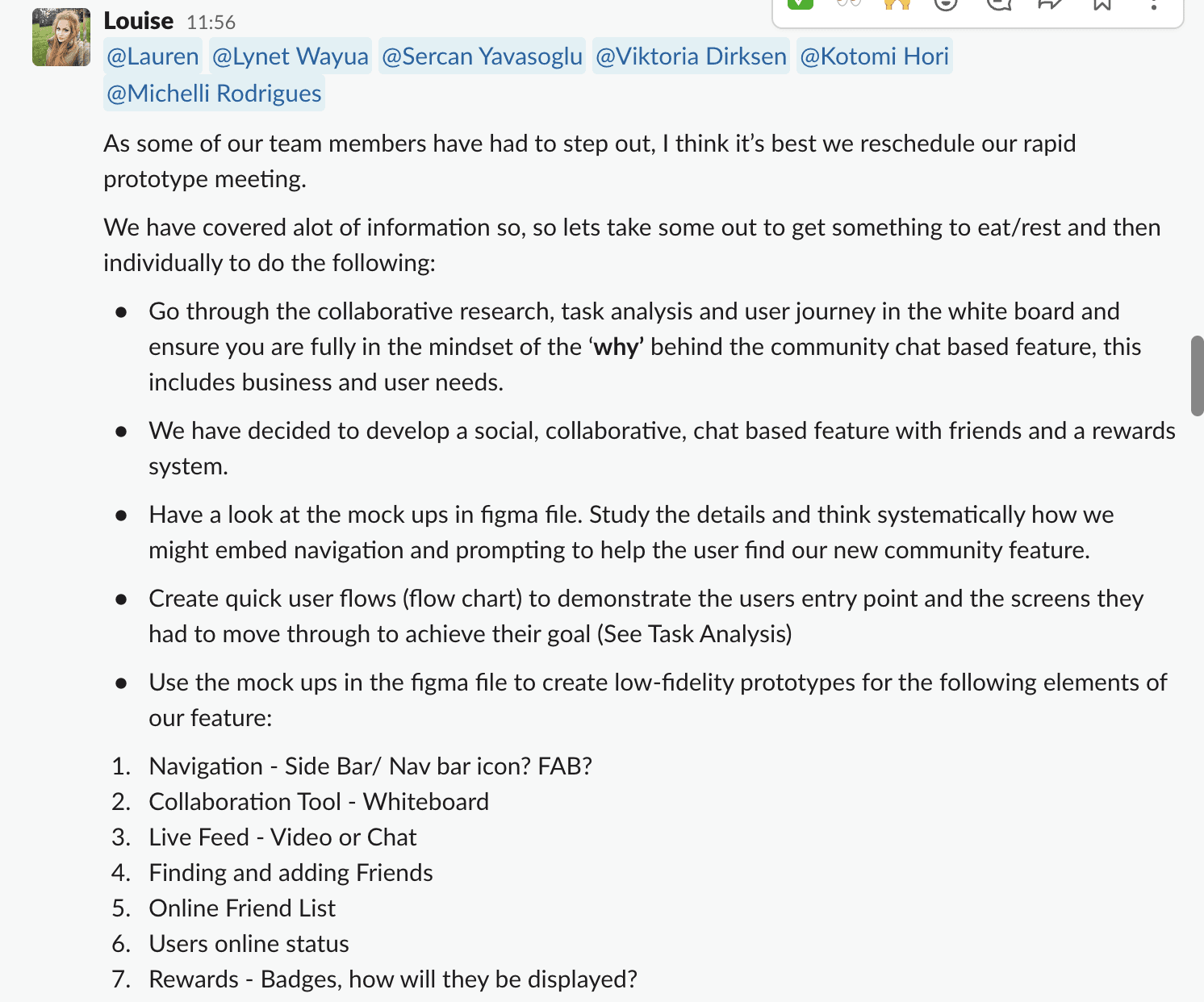
Team skipped architecture and jumped into wireframes
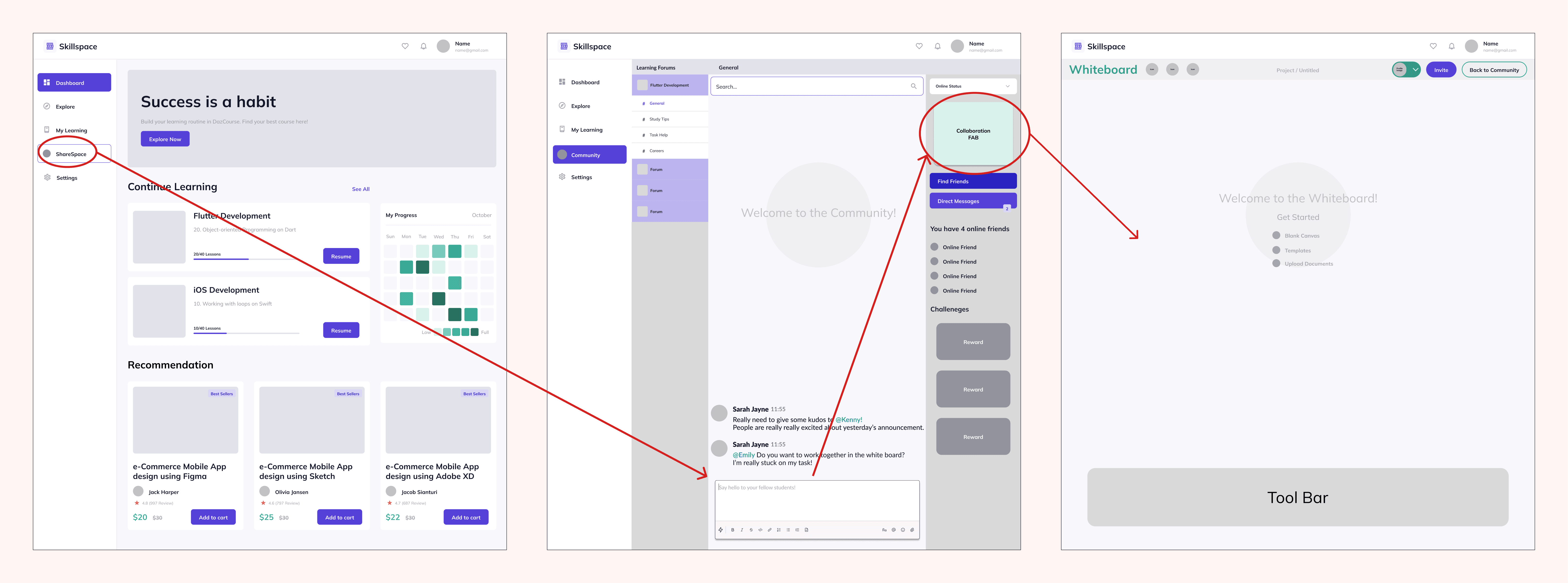
During our ideation meeting, it appeared that no-body had prepared a concept for user flow as requested and as a result, designing for collaborative peer support had got lost. I led by example and walked the team through the rational behind my user flow which linked the problem to clear action.
Demonstrating design rationale by example
I connected the design back to the problem statement 'Learners need a way to collaborate because feeling isolated prevents progress and long-term engagement' and showed how minimising navigation depth reduced friction for users.
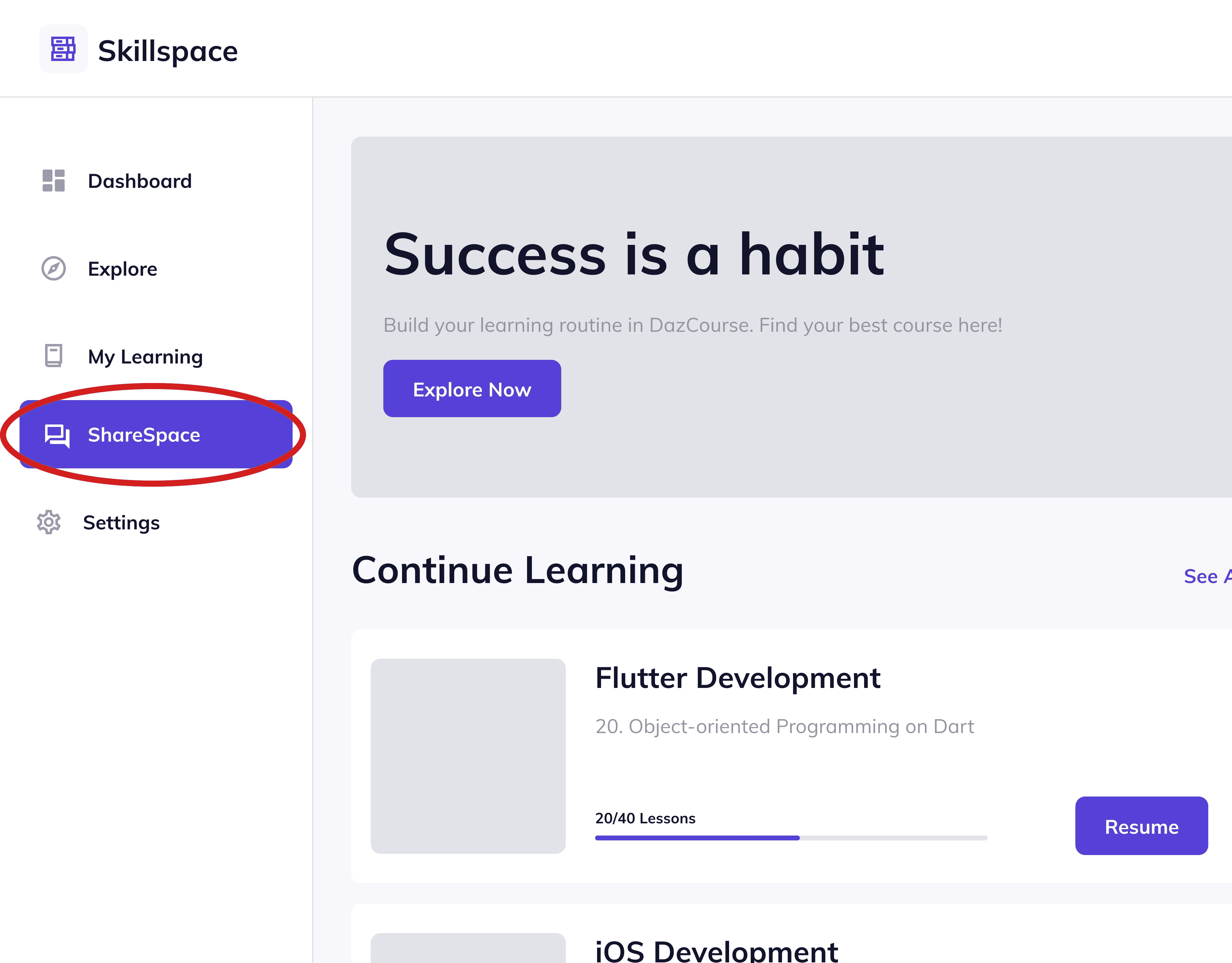
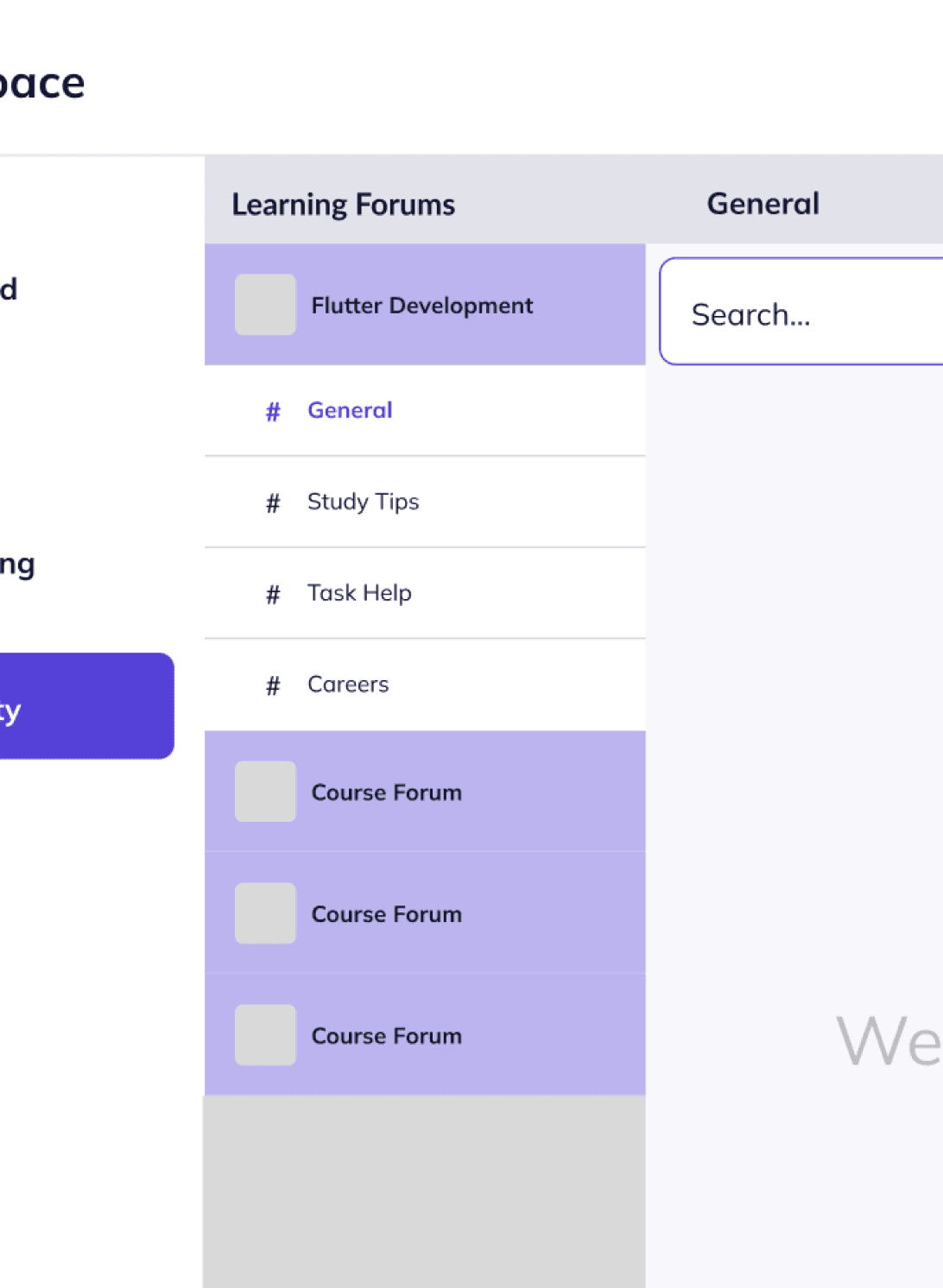
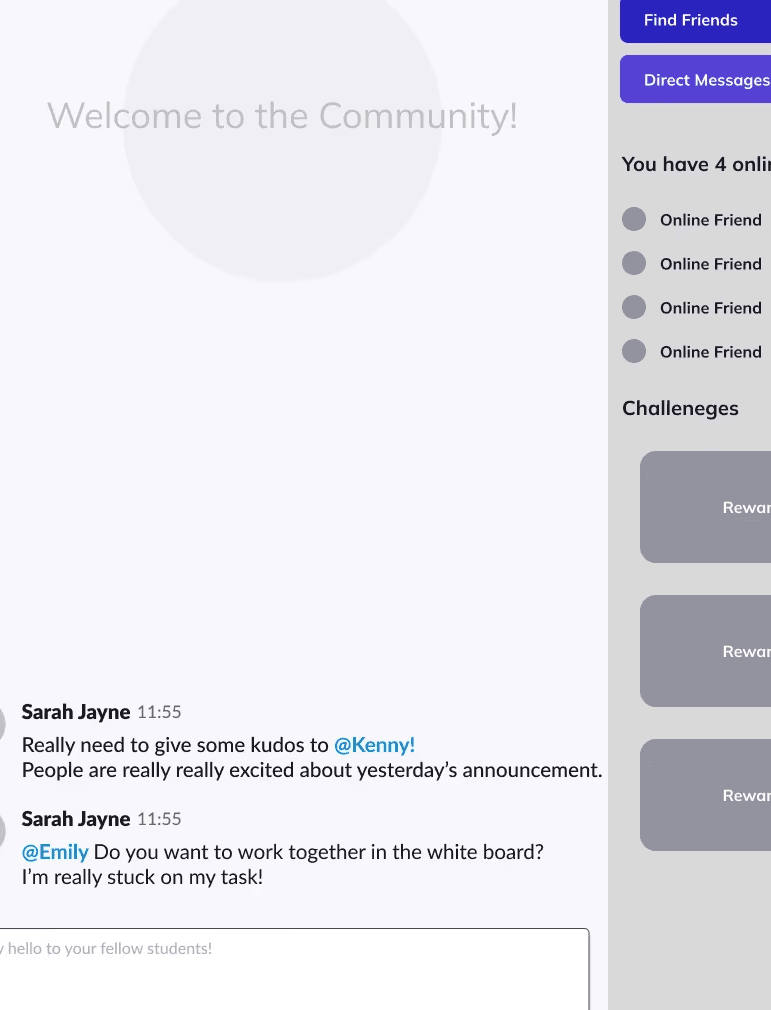
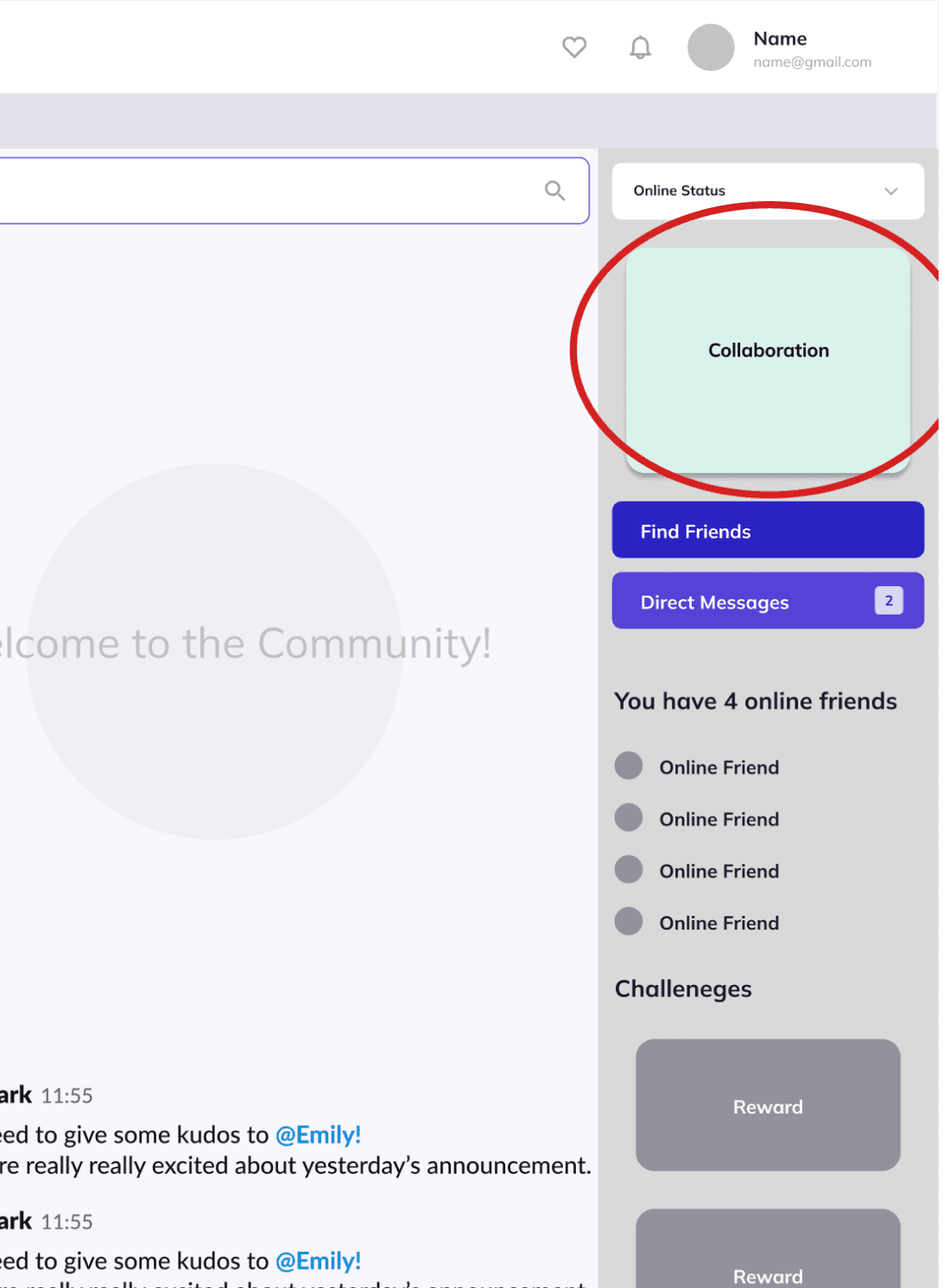
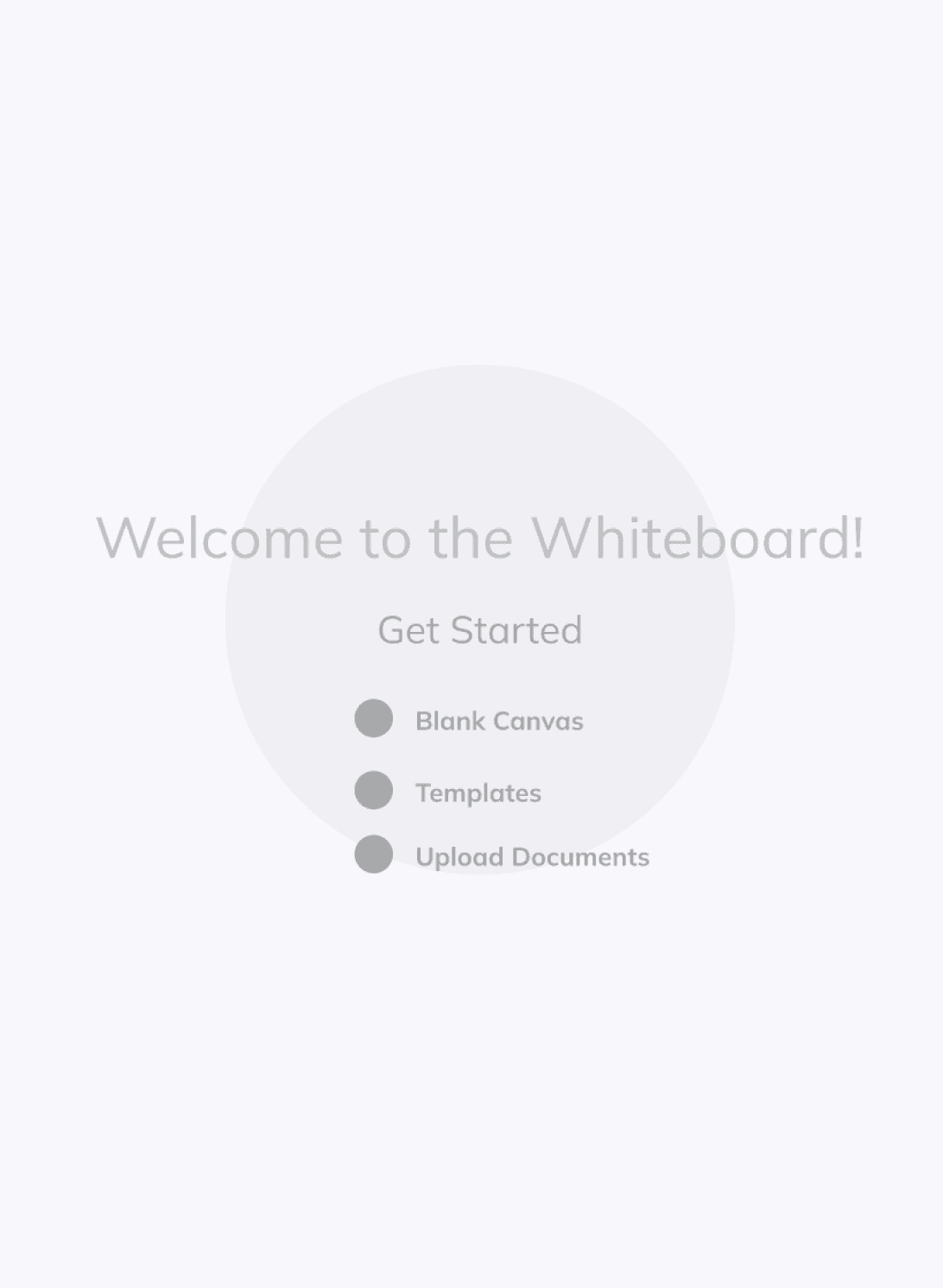

Full screen user flow
Adapting when I had to step back
Communicating asynchronously
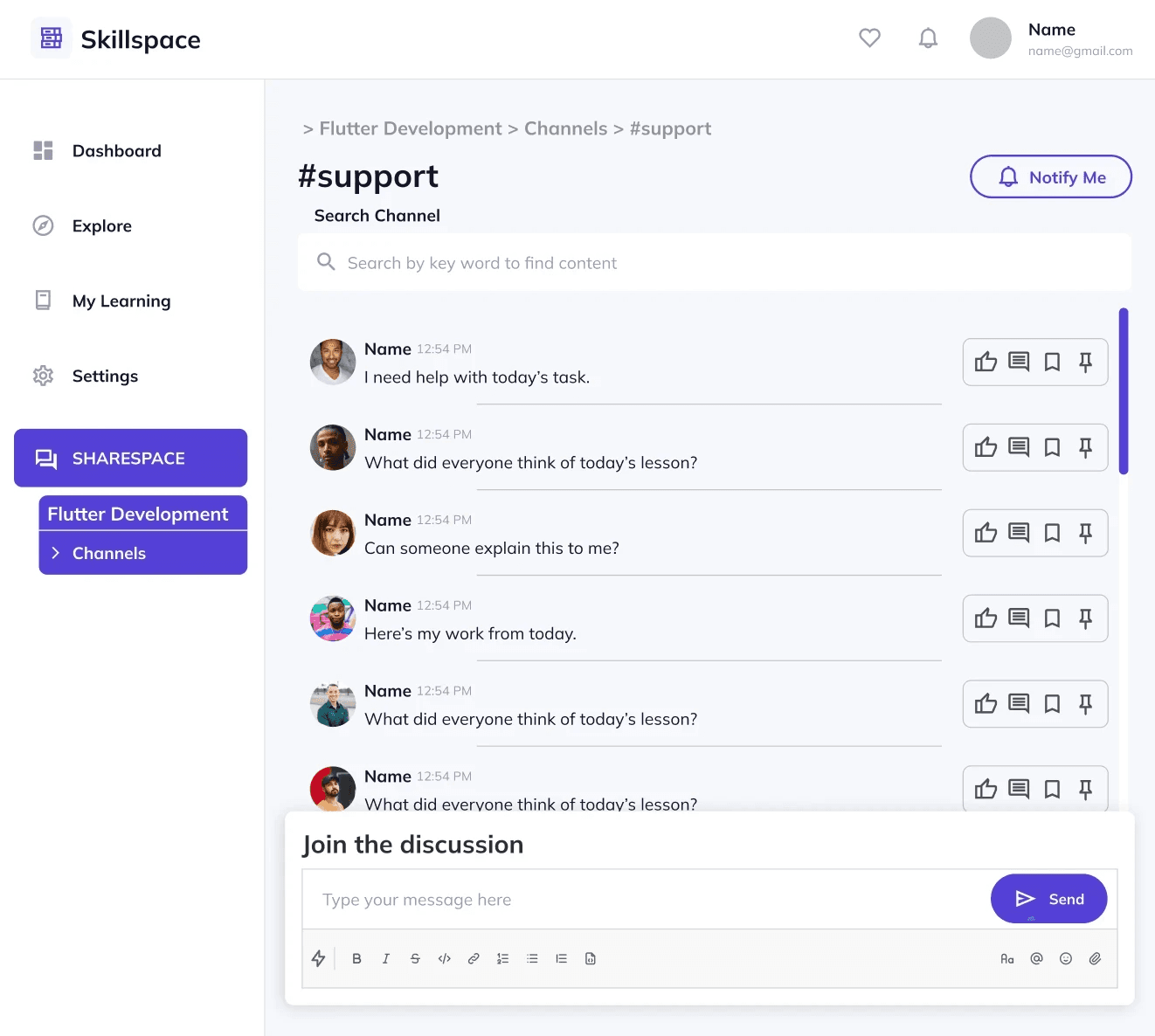
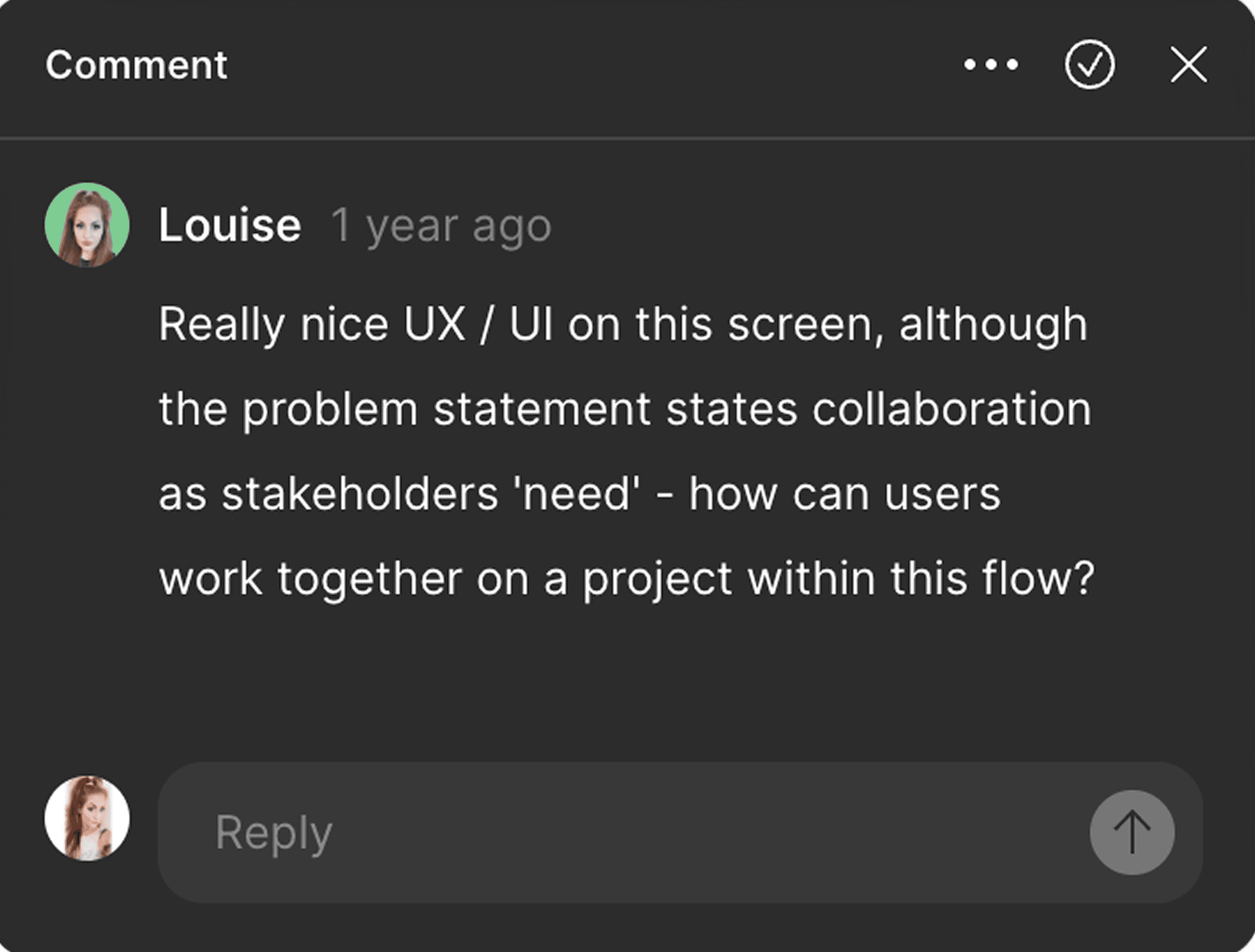
Midway through the hackathon, a family emergency forced me to step back. I stayed present through Figma comments and Slack communication empowering the team to succeed without direct supervision. I knew the team felt nervous about the live presentation so I joined the live demo as a life line of support in case it was needed. Overall the team continued with confidence and decisions stayed aligned which proved the design structure was doing it's job.
Final Design
ShareSpace - Make friends, connect and collaborate
Though the final wireframes weren’t fully polished, the result offered learners a full ecosystem of support. Sharespace was built for lasting connection and long-term engagement. The design transformed individual learning into a shared, community-driven experience.
Networking
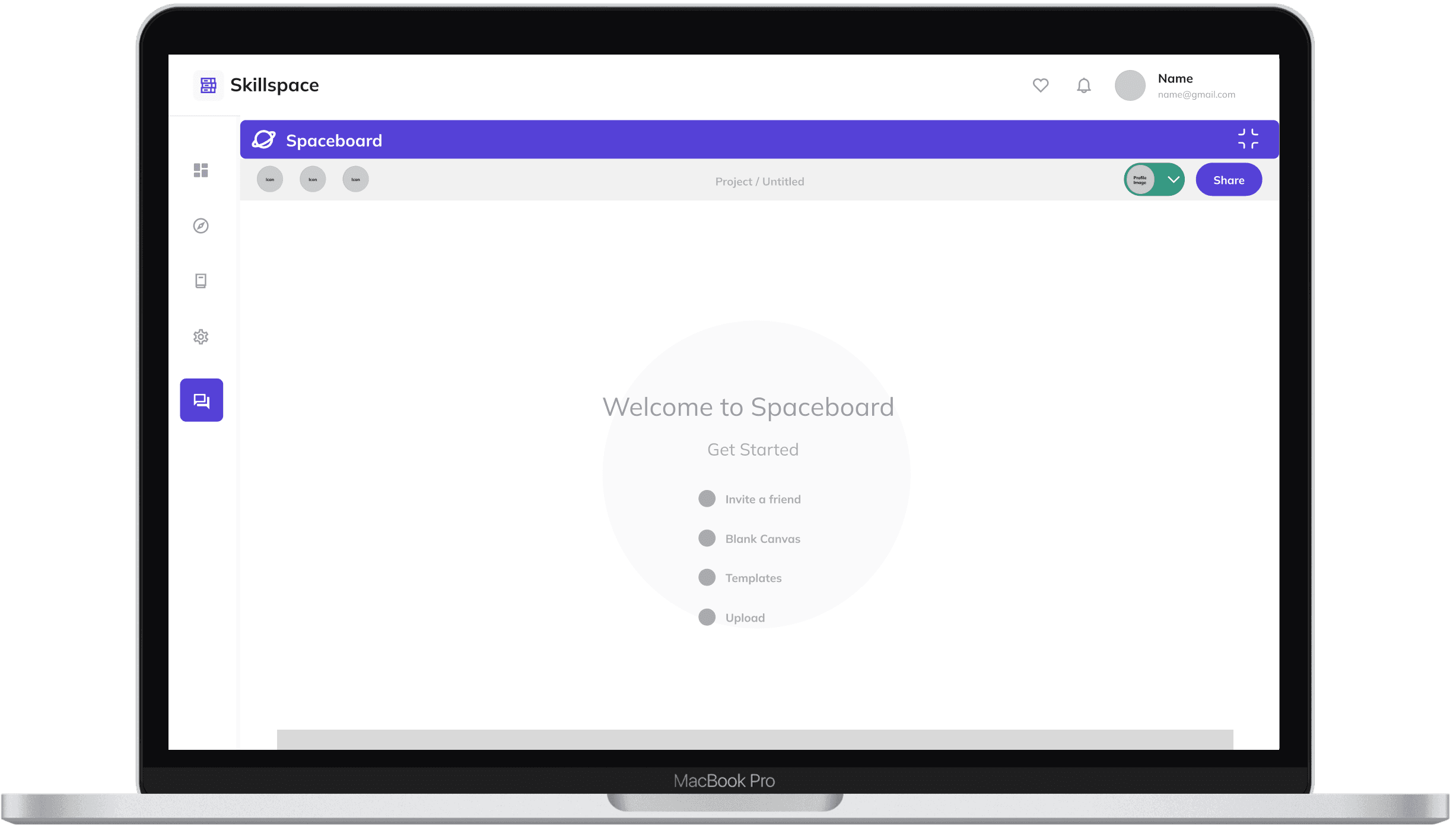
Collaboration tool
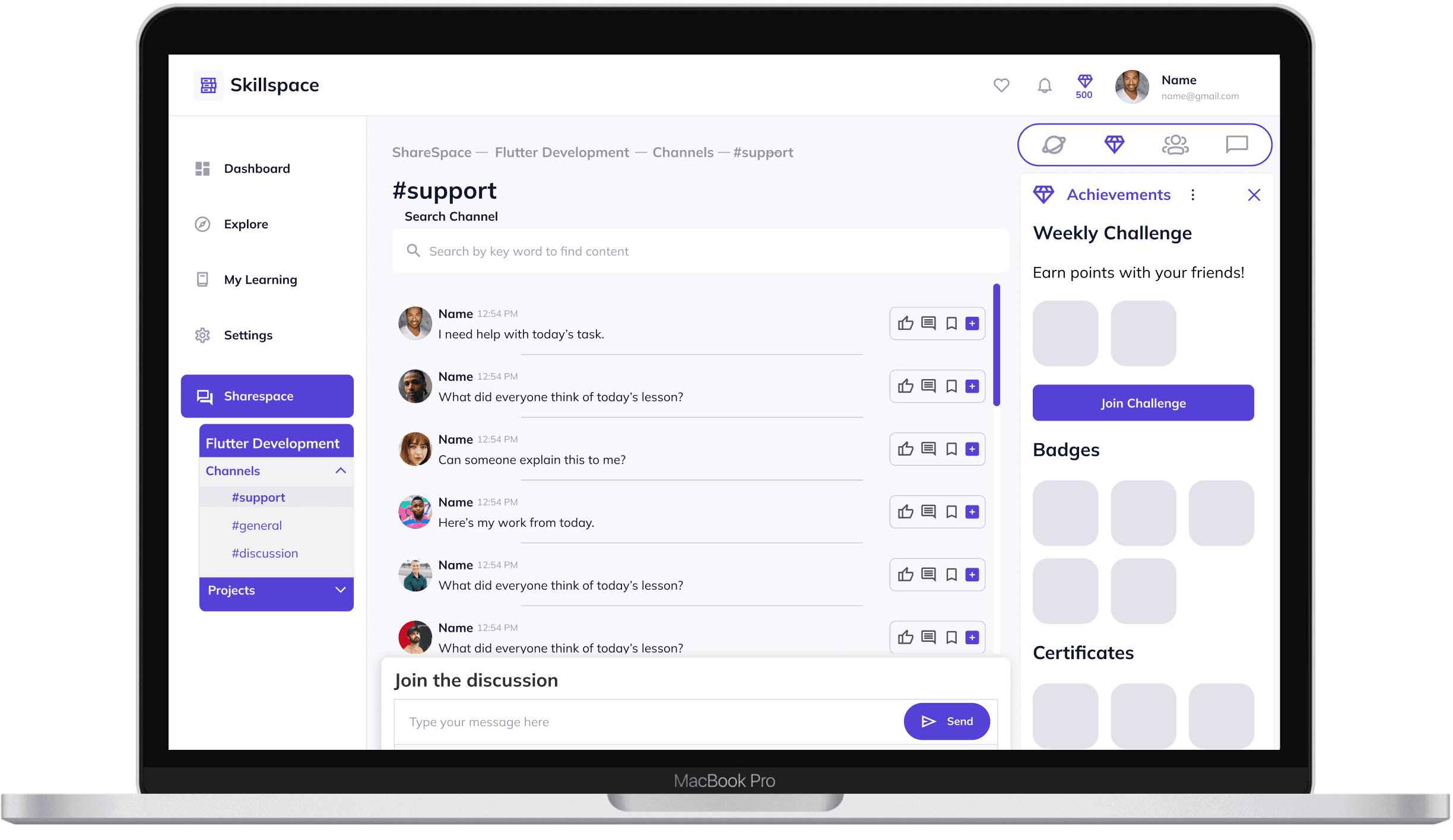
Engagement
The rewards feature celebrates progress through badges, challenges, and diamonds. It transforms consistency into celebration, nurturing long-term engagement and a sense of belonging.
Key Takeaways
Structure creates speed, not restriction
Building a clear process early on gave the team confidence to move fast later. Good design leadership is almost invisible, it's the framework that let's creativity thrive.
Constraints sharpen design decisions
Severe time constraints forced clearer prioritisation. I learned to design the minimum viable experience that still delivered value, rather than over-scoping features that couldn’t be validated or explained.